How OnSite Keeps Print Shops Organized at Peak Season
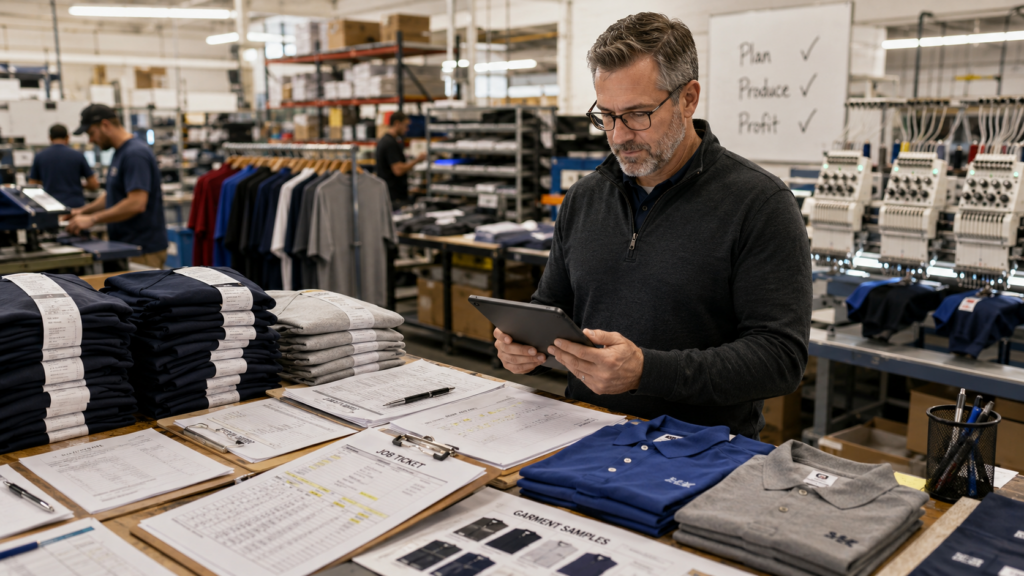
June isn’t a random time to talk about peak season for screen printers and embroiderers. For decorated apparel shops, summer creates a very real surge in order activity. Camps need shirts and sports leagues need uniforms. Festivals need merch and family reunions need matching apparel. Local businesses (big and small) need branded polos, hats, and event gear. Good thing summer days are longer.
That mix can be great for revenue, but it can also stretch a shop’s order and production workflow, fast. The challenge isn’t just getting more orders in the door. The challenge is keeping every job organized from quote to approval to production to delivery without details getting lost along the way.
That’s where OnSite from ShopWorks fits the way decorated apparel shops actually operate. OnSite is order management software for screen printers, embroiderers, digital decorators, and promotional product businesses that helps shops keep job details, production requirements, pricing variables, size breakdowns, artwork, and scheduling information connected in one workflow.
During peak season, that kind of organization can make the difference between a busy shop that stays in control and a busy shop that feels like it’s constantly putting out the next fire.
Peak Season Creates More Than Just More Orders
Summer order volume often looks simple from the outside. A customer needs 150 camp shirts, 80 embroidered polos, or 300 event tees. But inside the shop, each order carries a long chain of details.
A single job may include:
- garment colors
- sizes
- decoration locations
- artwork revisions
- ink colors
- thread colors
- due dates
- vendor availability
- production steps
- approvals
- reorders
- shipping or pickup instructions
When those details live across emails, spreadsheets, handwritten notes, quote documents, and disconnected production boards, the risk of error increases.
Peak season magnifies those risks because the same workflow has to handle more jobs at once. A process that once felt manageable in slower months can start to break down when the calendar fills with rush orders, repeat jobs, and customer changes.
For shop owners and production managers, the goal isn’t just to “work faster”, it’s to make sure each job moves through the shop with the right details attached to it.
Signs Your Shop Is Hitting Its Breaking Point
Order chaos usually shows up before a deadline is actually missed. The warning signs are often small at first, but they point to bigger workflow issues.
Common signs include:
- Production questions that require digging through old email threads
- Size breakdowns entered more than once across different documents
- Artwork approvals that are unclear or hard to track
- Job details that change after production has already started
- Repeat orders that still require manual reconstruction
- Pricing details that depend on who created the quote
- Production schedules that don’t reflect the true complexity of each job
- Rework caused by missing colors, locations, quantities, or customer notes
None of these problems means the shop isn’t capable. They usually mean the shop has outgrown the way it tracks work.
Peak season exposes every weak spot in the order process. If the job ticket is incomplete, production feels it. If the size matrix is hard to read, mistakes become more likely. If artwork approval isn’t connected clearly to the order, the job may stall. If production details are stored separately from the original order, the shop loses valuable context.
Decorated apparel shop software should help protect the shop from those breakdowns by keeping order information structured, visible, and usable.
What causes order chaos in decorated apparel shops during peak season?
- High order volume without centralized tracking often leads to mixed-up specs, missed deadlines, and duplicated work.
- Disconnected systems between sales, design proofing, and production increase the risk of costly errors.
- Size matrix and job-specific tracking tools reduce manual data entry mistakes during high-volume periods.
- Centralized order management software helps decorated apparel shops scale order volume without sacrificing accuracy.
What Organized Order Management Actually Looks Like
Organized order management doesn’t mean adding more steps. It means giving every job a clear path through the shop.
For a decorated apparel business, that starts with an order entry that reflects how apparel orders actually work. A screen print or embroidery order isn’t the same as a basic product sale. The shop needs to track size runs, garment styles, imprint locations, colors, production notes, pricing variables, and artwork details in a format that is production-ready.
That’s why OnSite’s size matrix matters. Instead of forcing each size onto a separate line item, OnSite allows apparel sizes to stay organized within the order. During peak season, this can help shops reduce manual entry and make production forms easier to read.
Organized order management also means job-specific production details stay with the job. Screen printing variables such as ink colors, mesh counts, images, and other production details need to remain accessible. Embroidery details such as stitch count, backing type, hoop size, and thumbnails can also affect how a job moves forward.
When those details stay connected, the shop has a clearer record of what needs to happen and how similar work was handled in the past.
Keeping Artwork, Proofs, and Production Connected
Artwork approval is one of the most common places where decorated apparel jobs slow down. A job may be ready from a sales standpoint, but production can’t move confidently until the artwork is approved and the final details are clear.
OnSite supports design and artwork management, helping shops store production-related design details such as ink colors, thread colors, screen details, and thumbnail images. When used with the ProofStuff add-on, shops can also send proofs, track approvals, and remind customers to act.
That connection is important during peak season because approval delays can stack up quickly. One delayed camp shirt approval may affect a press schedule. One missing logo revision may hold up an embroidery run. One unclear production note may require extra back-and-forth before the job can move forward.
A more connected proofing and production workflow helps shops answer practical questions faster:
Is the artwork approved?
Which version is final?
What colors are required?
What locations are being decorated?
Can this job move into production now?
Those answers need to be easy to find when the schedule is full.
Making Production Scheduling More Practical
Peak season production schedules can change quickly. Jobs vary by quantity, decoration method, due date, garment availability, and complexity. A rush order for a local tournament may need to move fast. A large reunion order may require multiple sizes and decoration locations. A repeat order may seem simple, but only if the original production details are easy to recall.
OnSite helps shops organize production with tools built for the production floor as well as the front office. Shops can dynamically schedule jobs based on their setup and production types, view and print schedules by department or machine, and store production details for future runs.
That matters because production scheduling is not just about dates—it’s about matching the right work to the right process with the right details in place.
When the schedule reflects the actual order requirements, production managers can make better decisions about what’s ready, what’s waiting, and what needs attention before it reaches the floor.
Reducing Re-Keyed Details During High-Volume Months
Manual re-entry is one of the easiest ways for mistakes to enter the workflow. During slower seasons, a shop may have time to catch those issues. During the summer, small errors can travel further before anyone notices.
OnSite helps reduce redundant entry by keeping order, pricing, design, production, and scheduling details in a more connected system. The goal isn’t to make the shop feel automated for the sake of automation. The goal is to protect accuracy when order volume is high.
For example, size matrix tools help keep apparel quantities easier to manage. Design and production variables help preserve job-specific details. Price calculators help shops quote using consistent formulas based on quantities, margins, colors, flashes, stitch counts, and other variables. Production tracking helps each job move with clearer visibility.
Together, those tools support a more reliable order workflow from intake through production.
Why This Matters for Repeat and Seasonal Work
Many summer orders come back year after year. If every repeat job has to be rebuilt from scratch, the shop loses valuable time. More importantly, it increases the chance that a familiar order gets produced differently than expected.
With organized, decorated apparel shop software, past job details become easier to reference. Production notes, artwork information, pricing structure, and order history can help the shop move repeat work through the process with less guesswork.
That is especially valuable when peak season includes a blend of new customers, repeat customers, rush orders, and multi-part jobs.
Keep Peak Season Moving with OnSite
Summer can be one of the most productive times of year for screen printers and embroiderers, but only when the shop has enough workflow visibility to keep orders moving accurately.
OnSite gives decorated apparel businesses a more organized way to manage order details, size matrices, design and artwork information, pricing variables, production events, and scheduling. For shops that rely on spreadsheets, disconnected systems, or scattered job notes, that structure can help reduce confusion when volume increases.
Peak season doesn’t have to feel like controlled chaos. With the right order management software for screen printers and decorated apparel businesses, shops can stay focused on producing quality work, meeting deadlines, and keeping every job on track.
To learn more about how OnSite can support your shop’s order and production workflow, request more info here.


Nothing manages decorated apparel shop information better than ShopWorks, PERIOD!

I couldn’t imagine a better system to accommodate all of our needs. ShopWorks has left nothing out. You make me wonder how we’ve gotten this far without it!
“We have used ShopWorks since 2001 and we know it had been a key part of our success – certainly to our organizational communication & structure & work flow – we have a great turn around & are very efficient!”


