From Quote to Production: How to Create a Smoother Handoff in Your Shop

In many shops, the biggest delays do not start on the press or at the embroidery machine. They start earlier, in the handoff between sales and production.

A quote gets approved. The order moves forward. Then the questions begin. Is the art final? Did the customer approve thread colors? Is the garment substitution noted? Was the in-hands date confirmed? Who owns the next step?

That gap between quote and execution is where rework grows. It is also where a decorated apparel shop order workflow can either become repeatable or stay reactive.

The good news is that this friction point is fixable. When your quote to production process is clear, your team spends less time chasing details and more time moving work through the shop.

A smoother handoff happens when every approved quote becomes a production-ready job record with confirmed specs, ownership, approvals, due dates, and a single source of truth.

Why this handoff matters

Sales and production often work toward the same goal from different angles.

Sales is focused on speed, responsiveness, and winning the order. Production is focused on accuracy, capacity, and execution. When the transition between those teams is loose, important details get lost.

That creates problems like:

  • Missing decoration specs
  • Unapproved artwork entering production
  • Incomplete garment details
  • Confusion around due dates
  • Duplicate customer follow-up
  • Last-minute schedule changes
  • Preventable rework on the shop floor

In other words, the handoff is not just an admin step. It is an operational control point.

What is the quote to production process?

The quote to production process is the workflow that turns an approved customer quote into a production-ready job. In a decorated apparel shop, that usually includes order confirmation, art verification, approvals, garment details, decoration specs, scheduling, and production kickoff.

If those steps are not standardized, teams rely on memory, email threads, and verbal updates. That is when errors multiply.

Where Handoffs Break Down

Most shops do not struggle because the team is careless. They struggle because the transition is informal.

Here are the most common breakdown points.

1. The quote is approved before all production details are locked

A quote may be accurate enough to sell the job but still incomplete for production. Thread colors, print locations, art size, specialty inks, backing, folding, bagging, or delivery notes may still be unsettled.

2. Information lives in too many places

Parts of the order are scattered between emails, notes, a shared drive and even in the CSR’s head. Production ends up piecing together the real job from multiple sources.

3. Ownership is unclear

Sales assumes production will catch missing details. Production assumes sales already confirmed them. No one owns the final readiness check.

4. Art approval and order approval are treated like the same thing

They are not. A customer can approve pricing without approving final production art. That difference matters.

5. Exceptions are not documented cleanly

Rush status, garment substitutions, split shipments, client-specific packing instructions, and decoration changes often get mentioned but not operationalized.

6. Scheduling starts before the order is truly ready

When jobs hit the calendar before they are complete, the entire schedule becomes fragile.

If production has to interpret the job, the handoff was incomplete.

The cost of a poor sales-to-production transition

A weak handoff does more than create annoyance. It affects throughput.

It can lead to:

  • More touches per order
  • More internal messages and status checks
  • More art and proof revisions after approval
  • Higher risk of mis-stitching or misprints
  • Slower order flow
  • Lower schedule confidence
  • More customer service fire drills

For embroidery shops, the embroidery job handoff process is especially sensitive because small missing details can create expensive mistakes. A missing thread note or hooping instruction can turn into wasted run time fast.

Steps to Improve Order Flow

A smoother decorated apparel shop order workflow starts with a simple principle: production should receive one complete, verified, production-ready job packet.

Here is how to build that.

1. Define the minimum handoff standard

Create a required checklist for every job before it leaves sales.

Your checklist should confirm:

  • Customer name and PO, if needed
  • Ordered quantities by size and color
  • Garment style numbers and substitutions
  • Decoration method by location
  • Final approved art file
  • Thread colors, ink colors, or applique details
  • Placement and sizing notes
  • Special finishing or packing instructions
  • Ship date or in-hands date
  • Internal owner for next step

This becomes your readiness gate.

2. Separate quote approval from production readiness

Do not let “approved quote” automatically mean “ready to schedule.”

Instead, use clear internal statuses such as:

  • Quoted
  • Approved pending details
  • Awaiting art approval
  • Ready for production review
  • Scheduled
  • In production

That one change reduces confusion immediately.

3. Standardize the production-ready job packet

Every order should be handed off in the same format.

A strong job packet includes:

  • Customer summary
  • Item summary
  • Decoration summary
  • Approved mockup or proof
  • Notes for the floor
  • Due date and priority level
  • Linked files and approvals
  • Special exception flags

When the format is consistent, production spends less time hunting and more time executing.

4. Add a pre-production review step

For larger, more complex, or higher-risk jobs, build in a short internal review before scheduling.

Review questions can include:

  • Is the art approved and attached?
  • Are all line items matched to decoration methods?
  • Are counts, sizes, and placements clear?
  • Are customer notes operational or still ambiguous?
  • Does the promised date match actual capacity?

This is one of the simplest ways to reduce rework.

5. Use one source of truth

Your team should not need to cross-reference five systems to understand one order.

The best handoff process gives sales, production, and management access to the same live order record. That record should show status, notes, files, approvals, and responsibility in one place.

6. Flag exceptions early

Normal jobs move faster when exception jobs are clearly marked.

Flag orders that include:

  • Rush turnaround
  • Split shipments
  • Non-standard packaging
  • Garment substitutions
  • Customer-supplied goods
  • Multiple decoration methods
  • Repeat order changes

Exception visibility protects the schedule.

7. Make ownership visible

Every order needs a clear next owner.

At the handoff point, the team should know:

  • Who verifies completeness
  • Who approves readiness
  • Who schedules the job
  • Who handles open questions
  • Who communicates changes back to the customer

Clear ownership reduces stalls.

What improves order flow the fastest?

The fastest way to improve order flow is to require a production-ready checklist before scheduling. That one control reduces missing information, lowers back-and-forth communication, and gives production cleaner inputs.

Here is a straightforward quote to production process for a decorated apparel shop:

  • Quote request received
  • Sales builds quote
  • Customer approves quote
  • Order details confirmed
  • Art and decoration specs verified
  • Customer approves final proof
  • Production-ready checklist completed
  • Job packet released to production
  • Scheduler assigns production date
  • Shop floor kickoff begins

You can also view it like this:

Quote -> Approval -> Detail Verification -> Art Approval -> Production Review -> Scheduling -> Production

The goal is not to add bureaucracy. The goal is to remove ambiguity.

What a strong embroidery job handoff process looks like

For embroidery, handoff quality matters even more because machine time is expensive and setup details matter.

A strong embroidery job handoff process should include:

  • Approved digitized file version
  • Stitch count or complexity notes
  • Thread color list
  • Garment type and hooping considerations
  • Placement measurement
  • Sample sew-out requirements
  • Backing or topping instructions
  • Cap, flat, or specialty run notes
  • Priority and due date

When embroidery receives all of that upfront, production can move with confidence instead of assumptions.

How to reduce rework without slowing sales down

Some teams worry that stronger handoffs will make quoting slower.

Usually, the opposite happens.

When sales knows exactly what production needs, they collect the right information earlier. That reduces follow-up, limits internal clarification, and helps everyone move faster after approval.

To make that practical:

  • Give sales a standard intake form
  • Use required fields for handoff data
  • Create templates for common order types
  • Build approval checkpoints into the workflow
  • Use status labels that reflect real readiness
  • Review handoff errors weekly for pattern spotting

The best process improvement work is not dramatic. It is repeatable.

Signs your handoff process is improving

You do not need a complex transformation project to know whether this is working.

Watch for these signals:

  • Fewer production questions after order release
  • Fewer jobs placed on hold for missing information
  • Fewer art-related surprises on the floor
  • Better confidence in scheduling
  • Fewer customer callbacks for clarified details
  • Lower rework and remake volume
  • Faster movement from approval to production

Those are strong indicators that your order workflow is becoming more operationally healthy.

Build a workflow your team can trust

The handoff between sales and production is easy to overlook because it happens between departments, not inside one of them.

But that is exactly why it matters.

A smoother quote to production process creates clarity. Clarity improves communication. Better communication reduces rework. And when rework drops, order flow gets stronger across the entire shop.

If your team wants better throughput, fewer internal surprises, and a more stable decorated apparel shop order workflow, start with the transition point. Tighten the handoff, and the rest of the process gets easier to manage.

FAQ

What is the biggest problem in the quote to production process?

The biggest problem is incomplete information entering production. When job details are spread across emails, notes, approvals, and conversations, production has to reconstruct the order instead of executing it.

What should be included in a production-ready job packet?

A production-ready job packet should include approved artwork, garment details, decoration specs, quantities, due dates, special instructions, and a clear next owner.

How can a decorated apparel shop reduce rework?

A decorated apparel shop can reduce rework by using required handoff checklists, separating quote approval from production readiness, and keeping all job details in one visible system.

Why does the embroidery job handoff process need extra care?

Embroidery jobs depend on exact setup details such as thread colors, file versions, placement, backing, and hooping notes. Small gaps in the handoff can create costly machine-time errors.

Should scheduling happen as soon as the customer approves the quote?

Not always. Scheduling should happen when the order is production-ready, not just commercially approved. If scheduling starts too early, the calendar becomes unstable.

What is the fastest workflow improvement a shop can make?

The fastest improvement is to add a production-readiness gate before scheduling. That creates a clear checkpoint and prevents incomplete orders from reaching the floor.

How Customer Self-Service Order Management Is Transforming Modern Decorated Apparel and Promotional Product Shops

Decorated apparel and promotional product businesses are increasingly adopting customer self-service order management systems to meet rising client expectations for transparency and speed. Modern decorated apparel and promotional product management software provides real-time order tracking, centralized proof approvals, and automated communication through customer portals. These tools reduce email back-and-forth, improve production efficiency, and help these shops scale operations while delivering a better client experience.

Introduction

The decorated apparel and promotional products industry is experiencing a major operational shift. As customer expectations evolve, many shops are moving away from manual order updates and email-based communication toward self-service customer portals and centralized workflow platforms.

In the past, order updates often required repeated emails, phone calls, or internal coordination between sales and production teams. Today, businesses that implement modern decorated apparel and promotional product order management software are providing customers with direct visibility into order status, artwork approvals, and production progress.

This shift is not just about convenience. It represents a broader move toward operational transparency, automation, and scalable workflow management in the industry.

Why Email-Based Order Updates Slow Shops Down

Many decorated apparel and promotional product companies still rely heavily on email for order updates, proof approvals, and customer communication. While email is familiar and accessible, it creates several operational challenges as order volume increases.

Common Problems with Email-Based Order Management

  1. Fragmented Communication: Important details become buried in long email threads between customers, sales representatives, and production teams.
  2. Delayed Proof Approvals: Customers may miss emails or respond slowly, delaying production timelines.
  3. Repeated Status Inquiries: Customers frequently ask for updates, increasing the administrative workload on staff.
  4. Limited Visibility Across Departments: Production, design, and sales teams may be referencing different information sources.

These challenges slow production workflows and create unnecessary friction across the business.

Modern promotional products workflow management systems address these issues by centralizing order information and making updates accessible to both staff and customers.

What Customers Expect From Modern Order Tracking

Customer expectations for order transparency have changed significantly. Many buyers now expect the same level of visibility they receive from eCommerce platforms.

Modern clients want to know:

  • When their artwork proof is ready
  • Whether their order is approved for production
  • The current stage of production
  • When their order will ship

Without real-time visibility, customers naturally contact sales representatives or customer service teams for updates.

A customer portal business solution provides an alternative approach by giving customers direct access to their order information through a secure online dashboard.

Key Capabilities of Customer Portals

Modern customer portals typically allow clients to:

  • Track order status in real time
  • Review and approve artwork proofs
  • View order history
  • Receive automated updates
  • Communicate with the shop through a centralized system

This approach significantly reduces communication bottlenecks while improving the overall customer experience.

How Self-Service Portals Improve Production Efficiency

Customer self-service portals are becoming a critical component of promotional products workflow management. By removing manual communication steps, these systems allow production teams to move jobs forward more efficiently.

Faster Proof Approval Cycles

Artwork proofs delivered through a centralized platform allow customers to review and approve designs quickly. This reduces delays caused by missed emails or unclear feedback.

Fewer Communication Bottlenecks

When order details, approvals, and updates are visible in one place, teams spend less time relaying information between departments.

Reduced Administrative Work

Customer service teams spend less time responding to status inquiries because customers can access updates themselves.

Improved Production Planning

Real-time visibility into approvals and job status helps production managers schedule jobs more accurately and reduce delays.

What Does Decorated Apparel & Promotional Product Order Management Software Do?

Decorated apparel and promotional product order management software centralizes the systems used to manage customer orders, artwork proofs, production workflows, and communication.

Instead of relying on separate tools, these platforms integrate multiple functions into a single operational hub.

Core Capabilities Typically Include

  • Order tracking and job status visibility
  • Artwork proof management and approvals
  • Production workflow management
  • Communication tracking
  • Customer portal access

By consolidating these functions, decorated apparel and promotional products businesses gain greater operational control and reduce reliance on manual processes.

The ShopWorks platform brings these capabilities together by integrating order tracking, proof approvals, and production workflows into a unified system used by both internal teams and customers.

How Can Customer Self-Service Portals Improve Operations?

Customer self-service portals provide several operational and customer experience benefits for decorated apparel and promotional product businesses.

What are the benefits of self-service order management?

Self-service order management allows customers to access order updates, approve proofs, and monitor job status without relying on manual updates from staff. This improves transparency while reducing administrative work.

How do customer portals help customers approve proofs faster?

Customers receive notifications when proofs are ready and can review them directly in the portal. Approval or revision requests can be submitted instantly, allowing production to proceed more quickly.

How do self-service portals reduce communication bottlenecks?

Instead of routing every customer question through sales or customer service teams, customers can view updates and order details themselves.

Can customers see real-time job status?

Yes. Most modern decorated apparel and promotional product order management software systems allow customers to track order progress in real time through their portal dashboard.

How do portals reduce administrative workload?

Staff spend less time responding to emails and phone calls requesting updates. Automated notifications and portal access handle many of these inquiries.

Do customer portals improve customer retention?

Yes. Transparent communication and faster order approvals improve the customer experience, which often leads to stronger relationships and repeat business.

The Future of Workflow Management in the Industry

As decorated apparel and promotional product businesses grow, operational complexity increases. Managing orders through email and spreadsheets becomes increasingly difficult.

Businesses that adopt modern decorated apparel and promotional product order management software gain several long-term advantages:

  • Improved operational efficiency
  • Better communication between departments
  • Increased customer transparency
  • Faster proof approval cycles
  • More scalable production workflows

Customer self-service portals represent a natural evolution for the industry, helping shops deliver the transparency and responsiveness modern clients expect.

Conclusion

Decorated apparel and promotional product companies are entering a new era of workflow modernization. Customers increasingly expect visibility, faster communication, and simplified approvals.

By implementing systems that support customer portal functionality, real-time order tracking, and centralized promotional products workflow management, shops can significantly reduce manual work while improving customer relationships.

Modern solutions such as ShopWorks help bring these capabilities together, enabling shops to manage orders, proofs, and production workflows within a single transparent system.

For growing decorated apparel and promotional products businesses, self-service order management is quickly becoming an essential part of staying competitive.

Key Takeaways

  • Modern shops are replacing email-based order updates with customer portals.
  • Self-service portals improve proof approval speed and reduce communication delays.
  • Centralized order management software increases transparency across departments.
  • Better workflow visibility improves production efficiency and customer satisfaction.

Why 2026 Is the Year to Automate Customer Communications…and How ShopWorks Makes It Easier

In 2026, speed and clarity aren’t “nice to have”, they’re expected. Customers ordering custom print, promo products, embroidery, and decorated apparel want instant updates, fast proof approvals, and frictionless payment reminders.

That’s why automated customer communication is no longer optional. It’s essential.

For growing shops, the right print shop communication tools can dramatically reduce manual outreach, shorten approval cycles, and improve customer satisfaction. With ShopWorks automation, you can streamline order confirmations, proof approvals, status updates, and invoice reminders…all while freeing your staff from repetitive tasks.

Why Communication Automation Matters in 2026

Customer expectations have changed. Today’s buyers:

  • Expect immediate order confirmations
  • Want real-time status updates
  • Prefer digital proof approvals
  • Anticipate automated invoice reminders with payment links

When shops rely on manual emails, phone calls, and spreadsheets, communication delays become inevitable. That leads to:

  • Slower production timelines
  • Missed approvals
  • Frustrated customers
  • Staff burnout

Automated customer communication solves this by ensuring customers receive accurate updates at every stage without someone on your team having to manually send each message.

In 2026, shops that automate communication will:

  • Close approvals faster
  • Reduce errors
  • Improve cash flow
  • Deliver a more professional customer experience

Common Communication Bottlenecks in Shops

Even successful print and apparel shops face recurring communication challenges.

Manual Order Confirmations

Staff manually send confirmation emails, which can be delayed during busy production periods.

Proof Approval Delays

Artwork proofs are emailed as attachments, requiring back-and-forth replies that slow down production.

Status Update Overload

Customers frequently call or email asking, “Is my order in production?”, or, “Has my order shipped yet?

Forgotten Invoice Reminders

Late payments often stem from inconsistent follow-up or missed reminder emails.

These bottlenecks cost time, money, and team morale.

The solution? Purpose-built print shop communication tools designed specifically for decorated apparel, promo, and print workflows.

How ShopWorks Tools Streamline Customer Interactions

ShopWorks automation helps shops eliminate repetitive communication tasks while keeping customers informed at every stage.

ProofStuff: Faster Artwork Approvals

With ProofStuff, shops can:

  • Send digital artwork proofs instantly
  • Allow customers to approve online
  • Track approval timestamps
  • Eliminate confusing email threads

This dramatically shortens approval cycles and prevents production delays.

ManageOrders: Automated Status Updates

With ManageOrders, you can:

  • Automatically send order confirmations
  • Trigger production status updates
  • Notify customers when items ship
  • Keep communication tied directly to job progress

Instead of manually answering “Where’s my order?” emails, your system does it for you.

Automated Notifications: Smarter Payment Reminders

Late payments hurt cash flow. ShopWorks helps by:

  • Sending invoice reminders automatically
  • Including secure payment links
  • Reducing awkward follow-up calls
  • Improving on-time payment rates

The result? More predictable revenue and less administrative stress.

Top Customer Communications to Automate

  • Order confirmations & acknowledgments
    Immediate confirmation builds trust and sets expectations from day one.
  • Artwork proof distribution & approvals
    Digital proofing speeds approval cycles and reduces production errors.
  • Production status updates
    Automated updates prevent “check-in” calls and emails.
  • Shipment & delivery notifications
    Customers receive tracking details instantly.
  • Invoice reminders & payment links
    Automated reminders improve cash flow and reduce manual follow-up.

How Can Print and Apparel Shops Automate Customer Communication?

Automation isn’t an option; it’s an inevitability at this point. How can your shop get better at managing the evolution needed to stay competitive now? By asking the right questions and getting actionable solutions. 

What is automated customer communication?

Automated customer communication uses software to send triggered updates (such as confirmations, proof approvals, production notifications, and invoice reminders) without manual effort from staff.

Why is automation important for print shops in 2026?

Because customer expectations demand faster response times, real-time updates, and digital approvals. Automation ensures shops remain competitive while reducing staff workload.

What are the best print shop communication tools?

The best tools integrate directly into your order management workflow. ShopWorks automation, including ProofStuff and ManageOrders, connects communication directly to job status — eliminating duplicate work and missed updates.

How does ShopWorks automation improve customer satisfaction?

By delivering:

  • Faster proof approvals
  • Clear production timelines
  • Proactive status notifications
  • Seamless invoice reminders

Customers feel informed and confident throughout the order lifecycle.

The Bottom Line

2026 (and beyond) will reward shops that operate efficiently and communicate proactively.

By implementing automated customer communication through purpose-built print shop communication tools, you can reduce manual outreach, accelerate approvals, and deliver a better customer experience.With ShopWorks automation, your team can focus on production, sales, and growth, rather than chasing emails and answers.

Start 2026 With Clear Processes: How ShopWorks Workflow Mapping Can Eliminate Hidden Inefficiencies

A new year is the perfect time for decorated apparel shops to step back and take a hard look at how work actually moves through the business. Many shops add equipment, staff, or software over time, rarely stopping to map the full process from order entry to final payment. Thhis lead to inefficiencies quietly taking root.

Decorated apparel shop workflow mapping helps shops uncover delays, rework, and communication gaps that slow production and increase costs. By starting 2026 with a clearly mapped workflow, shops can improve apparel shop efficiency, reduce stress across teams, and build a more predictable operation.

This is exactly where ShopWorks workflow tools make a difference. When processes are visible and connected, improvement becomes practical instead of theoretical.

What Is Workflow Mapping and Why It Matters

Workflow mapping is the process of visually documenting every step an order takes through your shop. For most print and apparel businesses, that flow looks something like this:

Order Entry → Proofing → Production → Delivery → Billing

While that path seems straightforward, the reality is often far more complex. Orders get paused waiting for approvals. Art files bounce between departments. Production waits on missing information. Invoices are delayed because delivery status is unclear.

Decorated apparel shop workflow mapping matters because it turns assumptions into facts. It shows where work stops, where it loops backward, and where responsibilities are unclear. Once those friction points are visible, they can be addressed with better structure and smarter tools.

Shops that map workflows early in the year set themselves up for smoother growth, fewer surprises, and stronger margins throughout 2026.

Common Hidden Inefficiencies in Decorated Apparel Shops

Many inefficiencies are not caused by people working poorly. They are caused by processes that evolved without intention. Common problem areas include:

  • Orders re-entered or adjusted multiple times across systems
  • Proof approvals handled through email threads with no clear status
  • Art and production teams unclear on the latest approved version
  • Inventory discrepancies caused by late or manual updates
  • Billing delays because delivery confirmation is not visible

These issues compound over time. One missed handoff can create rework, missed deadlines, and frustrated customers. Improving apparel shop efficiency starts by identifying these hidden gaps and eliminating unnecessary steps.

How ShopWorks Tools Bring Order to Your Process

Once a workflow is mapped, the next step is supporting it with systems that keep everyone aligned. ShopWorks workflow tools are designed to connect each stage of the process without adding complexity.

OnSite centralizes order entry and customer information so jobs start with complete, accurate details. This reduces back-and-forth between sales and production before work even begins.

ProofStuff streamlines proofing and approvals by keeping artwork, comments, and approvals in one place. Faster approvals mean fewer production delays and fewer errors caused by outdated files.

ManageOrders provides real-time visibility into job status across departments. Sales, art, production, and shipping can all see where an order stands without interrupting each other.

ShopWorks Pay closes the loop by connecting delivery status directly to billing. Invoices go out faster, payments are easier for customers, and cash flow becomes more predictable.

Together, these tools reinforce a mapped workflow and help teams follow it consistently.

Top Workflow Mapping Benefits for Shops

  • Clear handoffs between sales, art, and production
  • Fewer errors in order fulfillment
  • Faster proof approvals
  • Better inventory accuracy
  • Improved on-time delivery rates

These benefits compound quickly. When teams trust the process, they spend less time fixing issues and more time delivering quality work.

How Can Print Shop Workflow Mapping Improve Decorated Apparel Shop Performance in 2026?

Why should shops map workflows at the start of the year?

Beginning the year with workflow mapping creates a shared understanding of how work moves through the shop. This clarity helps teams align goals, set realistic timelines, and avoid repeating last year’s problems.

How does workflow mapping support growth?

Mapped workflows make it easier to scale. When teams define clear processes, they onboard new staff faster and handle higher order volumes without chaos.

Can workflow mapping reduce customer complaints?

Yes. Clear workflows reduce missed details, late deliveries, and billing confusion. Customers experience more consistent communication and reliable turnaround times.

How do digital tools improve workflow mapping results?

Digital systems like ShopWorks workflow tools keep workflows visible and enforce consistency. Instead of relying on memory or email, teams work from shared, real-time information.

Start 2026 With Clarity and Control

Workflow mapping is not about adding bureaucracy. It is about removing friction. By documenting how orders move from order entry to billing, shops can identify what is slowing them down and fix it with intention.Decorated apparel shop workflow mapping paired with ShopWorks workflow tools gives print and apparel businesses the structure they need to operate efficiently and confidently in 2026. The result is better apparel shop efficiency, happier teams, and customers who notice the difference.

Year-End Reporting Made Easy: How ShopWorks Helps Print & Apparel Shops Plan Smarter for 2026

As the year winds down, print and apparel shops face a critical question regarding their year-end reporting: Do you truly understand how your business performed this year? Or, are you relying on gut instinct and fragmented data?

December is more than just a busy production month. It’s the most strategic time of year to step back, analyze performance, and make smarter operational decisions for the year ahead. With ShopWorks’ OnSite platform, year-end business analysis for print shops becomes clear, centralized, and actionable, without spreadsheets or disconnected systems.

By bringing together sales, production, scheduling, job costing, and customer history, ShopWorks gives shops the insight they need to plan confidently for 2026.

Why Year-End Reporting Matters More Than Ever

Margins are tighter. Customer expectations are higher. Production schedules are more complex than ever before.

That’s why print shop reporting software isn’t just a convenience, it’s a competitive advantage.

Year-end reporting allows print and apparel shops to:

  • Identify what actually drove revenue (and what didn’t)
  • Understand operational inefficiencies hidden during busy months
  • Make pricing and staffing decisions based on real performance data
  • Enter the new year with clarity instead of assumptions

December is ideal because the full year of operational data is complete. Changes can still be implemented before January demand ramps up.

5 Key Metrics Every Shop Should Review Before 2026

ShopWorks’ OnSite reporting and dashboards make it easy to evaluate the metrics that matter most.

1. Best- and Worst-Performing Customers

Not all revenue is good revenue. Using customer history and profitability reporting, shops can:

  • Identify high-revenue but low-margin customers
  • Spot loyal, high-margin customers worth prioritizing
  • Adjust pricing, minimums, or service levels accordingly

This insight is essential for smarter account management in 2026.

2. Product Categories That Drove Revenue

Was growth driven by screen printing, embroidery, DTG, wide-format, or promotional products?

With apparel shop workflow data consolidated in one system, ShopWorks allows shops to:

  • Compare revenue and margin by category
  • Identify underperforming offerings
  • Invest more confidently in equipment, staffing, or marketing

3. Production Bottlenecks

OnSite scheduling and production tracking reveal:

  • Where jobs stalled most frequently
  • Which departments experienced recurring backlogs
  • How bottlenecks impacted delivery times

These insights help shops fix problems at the process level, not just push harder during peak periods.

4. Pricing Structures

Job costing reports show whether pricing actually reflects:

  • Labor time
  • Material usage
  • Setup complexity
  • Rush handling

December is the best time to evaluate pricing and adjust for 2026, before quotes are locked in and habits are reinforced.

5. Labor Efficiency & Turnaround Times

Labor is one of the largest controllable costs in a shop.

ShopWorks helps you analyze:

  • Actual labor hours vs. estimated hours
  • Job turnaround times by product or department
  • Scheduling accuracy and utilization

This data supports better staffing decisions and more realistic production commitments.

How ShopWorks Centralizes the Data You Need

One of the biggest challenges in year-end business analysis for print shops is fragmented data. Sales data lives in one place. Production data lives somewhere else. Accounting lives in spreadsheets.

ShopWorks eliminates that problem.

With OnSite, sales, production, scheduling, job costing, and customer history all live in a single system, allowing shops to:

  • Pull accurate reports without manual reconciliation
  • Trust the numbers because they’re connected to real workflows
  • Move from insight to action faster

No spreadsheets. No exporting and cleaning data. Just clear visibility into how your shop actually operates.

Five Reports to Pull Before January

If you only run a handful of reports before the year ends, make it these:

  1. Customer profitability
  2. Job costing variances
  3. Production bottleneck history
  4. Proofing & approval turnaround times
  5. Sales category performance

Together, these reports provide a complete snapshot of financial health, operational efficiency, and customer value.

Q&A: Planning Smarter with Software Data

How can print and apparel shops use software data to plan for 2026?

By using centralized workflow and reporting data, shops can replace assumptions with facts. ShopWorks allows owners and managers to:

  • See which customers, products, and jobs were truly profitable
  • Identify inefficiencies that impact margins and delivery
  • Adjust pricing, staffing, and scheduling based on real performance
  • Enter 2026 with operational clarity instead of reactive decision-making

When data is accessible and connected, planning becomes proactive, not reactive.

Turn Year-End Data Into a Competitive Advantage

Year-end reporting doesn’t have to be painful, or postponed until it’s too late.

With ShopWorks’ OnSite platform, print and apparel shops gain instant visibility into their performance, empowering smarter decisions for 2026 and beyond.December is your opportunity to reflect, refine, and reset, armed with data you can trust.

Stop the Proofing Pile Up: Why Artwork Approval Speed Is Your Secret Weapon This Holiday Season

The holiday rush does not start on the production floor. It starts long before a screen gets burned or a DTG machine spins up. The real bottleneck is artwork approval. Slow responses, scattered email threads, and miscommunication can snowball into missed deadlines and lost revenue during the busiest months of the year.

Modern tools like ProofStuff and OnSite from ShopWorks help apparel decorators move faster with streamlined approval workflows, centralized communication, and clear proof tracking. When your holiday artwork approval workflow is smooth, your presses stay busy and your revenue climbs.

Why Holiday Art Backlogs Cost Shops Money

Holiday demand does not wait. Every delayed approval adds friction to production schedules. One stalled proof can affect dozens of downstream tasks such as film prep, embroidery sequencing, blank ordering, and press scheduling.

For example:

  • A 600 piece apparel run for a school fundraiser cannot move into production until the final design is confirmed. If the coach takes four days to reply, your shop loses four days of production time.
  • A corporate merch campaign with ten personalized gift items per employee requires rapid proof approval. One stuck logo revision can delay the entire fulfillment batch.
  • A custom gift order with multiple color mockups may sit in an inbox unnoticed. That delay compounds as holiday shipments pile up.

Slow approvals drain time and shrink the number of jobs you can complete before the season ends. This is where artwork proofing software from ShopWorks becomes indispensable.

How Automated Proofing Speeds Up Every Job

Tools like ProofStuff and OnSite streamline the apparel shop proof approval process by eliminating back and forth message chains and tracking every interaction in one place.

Key Automation Benefits

  • Automatic customer notifications when new proofs are ready
  • Clear approval buttons that reduce confusion
  • Organized revision history without long email trails
  • Faster sign off that moves jobs into production sooner
  • Seamless integration with ShopWorks to update job statuses instantly

With less time spent chasing clients and recreating lost proofs, your art team gets more done and your presses stay booked.

What Seamless Customer Approvals Look Like

Smooth approval workflows help customers sign off quickly with fewer questions. ProofStuff and OnSite make this possible by offering:

  • Clean, mobile friendly proof pages
  • Highlighted change requests with easy comment threads
  • One click approval that is logged instantly
  • Automatic alerts for your team when customers respond
  • Centralized data where sales, art, and production view the same information

Shops using these systems report stronger customer satisfaction and fewer last minute emergencies. When your clients understand the design clearly and approve it quickly, you prevent costly reprints and keep your schedule on track.

3 Artwork Bottlenecks That Hurt Holiday Production (And How ShopWorks Solutions Help Fix Them)

  1. Slow client response time
    ProofStuff sends automated reminders and provides an easy approval interface so customers reply faster.
  2. Manual email proofing chaos
    OnSite centralizes communication by keeping proofs, comments, and approvals organized in one dashboard.
  3. Miscommunication between sales and art
    Integrated tools ensure both teams see the same proof updates and instructions so details never fall through the cracks.

How can apparel shops speed up artwork approvals during the holidays?

Here are a few FAQs about automated proofing software.

Q: What is the quickest way to get customers to approve artwork?
A: Use an automated system like ProofStuff that sends instant proof notifications, clear approval buttons, and automated reminders. Customers approve faster when the process is simple.

Q: How can shops avoid revision confusion?
A: Keep every comment and change request centralized. When sales, art, and customers all view the same proof page, there is no ambiguity about what needs to be updated.

Q: Can automated proofing prevent costly reprints?
A: Yes. Systems like OnSite track versions and approvals, which helps ensure that the exact approved artwork is what goes to production.

Q: How does faster artwork approval increase holiday revenue?
A: Every quick approval moves jobs into production sooner. More completed jobs means more capacity, higher sales volume, and fewer missed holiday deadlines.

Final Thoughts: Fast Approvals Equal Fast Revenue

When the holiday season hits, the shops that win are the ones that eliminate delays before they happen. Streamlining your holiday artwork approval workflow with ProofStuff and OnSite helps you move artwork from concept to production with speed and accuracy. This protects your schedule, reduces stress, and maximizes revenue during the most profitable time of the year.

Fast approvals create fast production. And fast production creates a holiday season where your shop thrives.

Get started with ShopWorks solutions today.

How ShopWorks Streamlines Holiday Order Rushes for Print and Apparel Shops

Taming the Holiday Chaos with ShopWorks

The holiday season brings joy—and a flood of orders—for print and apparel shops. Managing hundreds of jobs, proofs, and payments can quickly turn festive cheer into frustration. That’s where ShopWorks shines. With powerful workflow automation tools like OnSite, ProofStuff, ManageOrders, and ShopWorks Pay, shops can handle peak season demand without missing a beat.

The Challenge of the Print Shop Holiday Rush

Every December, apparel decorators, screen printers, and embroidery shops face the same challenge: delivering thousands of personalized products in record time. Manual processes, email-based proofs, and disjointed payment systems can create bottlenecks that slow production and cause costly errors.

ShopWorks’ integrated platform eliminates these friction points by automating communication, approvals, and order tracking across departments—so every job moves from quote to shipment smoothly.

How Can Print Shops Handle Holiday Order Surges Efficiently?

A: By leveraging workflow automation for apparel shops. ShopWorks’ interconnected tools help streamline everything from proof approvals to payment processing—so staff spend less time managing chaos and more time fulfilling orders.

  • OnSite keeps quotes, invoices, inventory, and production schedules centralized.
  • ProofStuff automates art proof creation and approval reminders.
  • ManageOrders lets you track jobs from anywhere in real time.
  • ShopWorks Pay simplifies secure, integrated payments.

The result: fewer delays, faster approvals, and happier customers.

Faster Proofing, Smoother Payments, Happier Customers

Automated Proofs and Approvals

ProofStuff replaces endless email chains with automated art approvals. Clients get instant access to proofs, can approve or comment directly online, and receive reminders—no manual follow-up required. This keeps projects moving even when your inbox is overflowing.

Integrated Payments that Speed Up Cash Flow

With ShopWorks Pay, you can send invoices and collect payments directly through the same system. No third-party processors, no reconciliation headaches. During the print shop holiday rush, faster payment processing means faster production—and better cash flow.

Real-Time Tracking and Communication

Using ManageOrders, you can track each job’s progress from artwork to shipping. Customers and staff see live updates, ensuring full transparency and fewer last-minute surprises.

3 Ways ShopWorks Simplifies Peak Season Operations

  1. Automated Workflows – Eliminate repetitive tasks and reduce manual entry with integrated order, proof, and payment systems.
  2. Centralized Communication – Keep every team member—from sales to production—on the same page with shared dashboards.
  3. Faster Turnarounds – Automate approvals and payments for smoother, faster fulfillment during the busiest months of the year.

The ShopWorks OnSite Benefits

ShopWorks OnSite acts as the hub for your entire operation. It unites estimating, scheduling, purchasing, and customer management in one intuitive platform. During the holidays, this means your shop can quote faster, schedule more accurately, and avoid double-booking or material shortages.

When combined with ProofStuff, ManageOrders, and ShopWorks Pay, OnSite becomes a complete command center—empowering your team to meet deadlines and delight customers, even at maximum capacity.

Final Thoughts

The print shop holiday rush doesn’t have to be chaotic. With ShopWorks’ workflow automation for apparel shops, you can streamline production, accelerate proofs and payments, and deliver every order on time. Whether you’re managing a small boutique or a multi-location shop, ShopWorks gives you the clarity, speed, and control you need to thrive during the busiest season of the year.

Contact us today to get started!

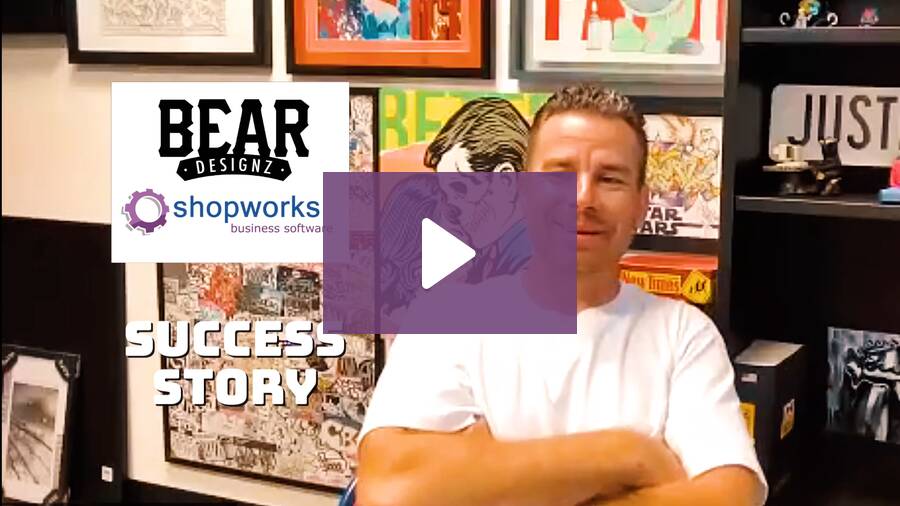
Customer Success Story – Bear Designz

Justin Behringer. I’m the owner of Bear Designz in Southern California. We’re primarily a contract decorator. Prior to getting ShopWorks, I was using dry-erase boards and basically, an eight-hour employee shop manager, production manager just drawing on the board.

Alright. The goods aren’t here for this. How are we gonna move this? I probably had about 220 open orders on an average day.

And within those orders, there’s probably, you know, one to seven events. So it was chaotic. It was it was hectic. And, I couldn’t do it anymore.

No one can do it anymore.

All of our departments were we just had a star. So, like, our receiving was an orange star. If it was good, you just come star the order. If, screens were made, same thing.

We had a purple star. Whatever. I asked around within our industry. Not a lot of people in our community or other shops have any software.

My designer, Tyler, helped me do a lot of research. We interviewed multiple software companies. I just felt ShopWorks was probably the best fit for what I needed to track and manage my production to a level that my customers deserve. You know, like my dry erase board, you have to put the phone down.

Let me go find the person with Shopworks and, like, what we had going on. I’d say that the the calendar, the production, the event management is phenomenal. For me, I’m pretty straight channel. As far as the production, we do utilize every single tab.

Like, we’ve got an accounting, we have sales, so everybody’s use utilizing their departments or windows. I try and just stick to the production and I can breeze through it. I’m I’m in the process of training a new hire right now to schedule and production manage all of the events, and it’s been going great. It’s just it’s pretty straightforward, you know?

We were on the phone with you guys a lot, I I think, in the first couple months, like, learning new things, watching the shop, works, help dot com, just learn a little new thing here and there. And, we kinda grew into our seats. I’d say one, the communication.

We have 12,000 square foot building. We got roughly twenty people here every day. And the communication, I can, my salespeople do not have to get up out of their desk to ask a receiving question. Now if my receiver’s on top of it and it’s in the computer, they’ll know if we’re short one piece, and he’ll come and tell them, hey.

I have a discrepancy, but they can literally look at what they need at any time. They know their order number from us sending an order approval. Just click it in search. Boom.

We can put the order on hold. My team immediately anyone that opens up in any department, it’s on hold. They can’t touch it. So that’s been pretty good.

I can send reports to customers, people that have ten, fifteen, maybe thirty open orders in here. Do a little screenshot, make sure I have everything dialed on my end, and send them a report, and they’ll know every single order where the PO is. Are my goods in in various building? Is my art approved?

So when we set up ShopWorks and we started working it, we just took one order at a time and put it in there. I’d say your guys’ team is great.

How OnSite from ShopWorks Can Boost Your Award Shop Productivity by 15%

Running an award shop comes with unique challenges: juggling custom orders, keeping track of artwork approvals, managing production deadlines, and ensuring top-notch customer service. If you’re still relying on spreadsheets, email chains, or outdated software, chances are your productivity is suffering. That’s where OnSite from ShopWorks comes in.

OnSite is a comprehensive shop management software designed specifically for print, sign, and award shops. By streamlining your daily operations, OnSite can help increase your productivity by up to 15%! Let’s break down how.

1. Centralized Workflow for Award Shops

One of the biggest time-wasters in award shops is bouncing between different tools or relying on manual tracking systems. OnSite provides a centralized hub where you can manage everything in one place:

  • Order entry
  • Artwork and proof approvals
  • Job scheduling
  • Production tracking
  • Invoicing and payment

With OnSite, you and your staff will spend less time searching for files, emails, or order notes and more time producing quality awards.

2. Faster Order Processing with Automation

Every award shop owner knows how long it can take to generate quotes, confirm details, and enter orders into the system. OnSite automates these repetitive tasks by:

  • Auto-generating quotes
  • Storing customer history for repeat orders
  • Creating order templates
  • Digitizing approvals and signatures

What used to take hours can now be completed in minutes, freeing your team to take on more work without increasing headcount.

3. Real-Time Job Tracking and Scheduling

Bottlenecks and miscommunication can derail even the most efficient award shop. With OnSite, you get real-time visibility into every job’s status. Managers can:

  • Instantly see which stage each order is in
  • Assign or reassign tasks to keep production flowing
  • Set realistic deadlines and avoid rush chaos

By improving scheduling and resource allocation, OnSite keeps your team focused and your shop running smoothly.

4. Reducing Costly Mistakes and Rework

Mistakes happen in award shops—whether it’s a misspelled name, a misplaced logo, or a wrong material choice. OnSite minimizes errors by:

  • Integrating customer notes directly into job tickets
  • Storing approved artwork for future use
  • Allowing customers to sign off digitally before production

Fewer mistakes mean less wasted time, material, and labor, all of which boost overall productivity.

5. Data-Driven Insights for Smarter Decisions

OnSite doesn’t just streamline workflows; it also gives you powerful reporting tools. Shop owners can analyze:

  • Which products or services generate the most revenue
  • Where bottlenecks consistently occur
  • How efficiently labor hours are being used

Armed with this data, you can make smarter business decisions that further increase your shop’s output and profitability.

Why 15% Matters for Your Award Shop

A 15% increase in productivity may not sound massive at first, but consider this: if your shop currently produces 100 awards per week, OnSite could help you produce 115—without hiring additional staff or working longer hours. That translates into:

  • More revenue from higher capacity
  • Happier customers with faster turnaround times
  • Less stress on you and your team

Over the course of a year, that 15% gain could be the difference between just getting by and growing your business.

Final Thoughts

If you want to streamline your award shop, reduce errors, and boost productivity, OnSite from ShopWorks is the solution you’ve been looking for. By centralizing workflows, automating processes, improving scheduling, and delivering valuable insights, OnSite helps award shops consistently achieve a 15% productivity increase.Ready to take your award shop to the next level? Explore how OnSite from ShopWorks can transform your operations today by scheduling a free demo!

ShopWorks Pay: The Ultimate Payment Gateway for ShopWorks Users

If you’re managing a screen printing, embroidery, or promotional products business using ShopWorks OnSite or ManageOrders, your payment processing options just got a MAJOR upgrade. Introducing ShopWorks Pay—a fully integrated payment solution built specifically for the needs of ShopWorks customers.

What Is ShopWorks Pay?

ShopWorks Pay is a built-in credit card and ACH (e-check) payment gateway that works directly within ShopWorks’ software platforms. Unlike third-party processors, ShopWorks Pay is developed and supported by the same team behind OnSite and ManageOrders, making the payment experience seamless, fast, and fully integrated.

Why ShopWorks Pay Matters for Your Business

1. Seamless Integration with OnSite and ManageOrders

No more jumping between systems. ShopWorks Pay is embedded directly within your existing ShopWorks tools, allowing you to process payments without leaving your workflow. This saves time, reduces errors, and streamlines reporting.

2. Competitive, Transparent Pricing

ShopWorks Pay offers meet-or-beat pricing, which means it can match or lower your current processing rates. With no long-term contracts, surprise fees, or middlemen, you keep more of what you earn.

3. Enterprise-Grade Security and Level 3 Data Support

Your customers’ data is protected with advanced encryption and Level 3 data compliance. You can also securely store card details using a tokenized vault for recurring transactions or future orders.

4. Flexible Payment Options

Whether you’re taking payments via credit card, ACH, click-to-pay links, or POS devices at events, ShopWorks Pay gives you the flexibility to do it all. It even supports batch processing and auto-reconciliation.

5. One Point of Support

Because the payment system is owned and operated by ShopWorks, you get one point of contact for both your software and payment needs. This unified support means fewer headaches and faster solutions.

How It Works

  1. Get a Quote – Use the ShopWorks website to request a “meet-or-beat” pricing quote.
  2. Quick Setup – No complicated configurations. ShopWorks Pay integrates directly into your OnSite or ManageOrders account.
  3. Start Accepting Payments – Use credit card, ACH, tokenized storage, or click-to-pay links—all inside your workflow.
  4. Enjoy Better Reporting – All your payment data flows into your ShopWorks reports automatically.

Built for Decorated Apparel & Promotional Product Businesses

ShopWorks Pay was designed for:

  • Screen printing companies
  • Embroidery shops
  • Award manufacturers
  • Promotional product distributors
  • Custom digital decorators

If your business uses ShopWorks software, ShopWorks Pay will enhance your workflow and help you get paid faster.

How Can ShopWorks Pay Help You?

ShopWorks Pay is more than just a payment processor; it’s a strategic upgrade to your financial workflow. By offering deep integration, competitive pricing, enhanced security, and streamlined support, it helps your business operate more efficiently and profitably.If you’re ready to consolidate your systems and take control of your payment processing, ShopWorks Pay is the solution you’ve been waiting for.